Sub flow
When building a React App, we can use the react-router- dom library to create different routes, and show different pages depending on the current path. When we use Flower we can associate to each route a different flow, and when we move from one route to another, we switch between flows.
But that's not the only solution: with Flower we have the possibility to move between flows without changing the path, thanks to the Subflow component. That's not a native Flower's functionality, but an example of how we can properly use react components to create custom functionalities.
import Flower from '@stackhouseos/flower-client'
import { keyBy } from 'lodash'
import React, { useMemo } from 'react'

const context = require.context('../../', true, /[\s\S]*?.flower.json$/)
const flowers = context
  .keys()
  .map((filename) => context(filename))
  .filter((e) => e.type === 'flow')

const flow = keyBy(flowers, 'name')

export const Subflow = ({
  flowName,
  subReducerName,
  subFlowName,
  extraParams,
  selectors
})  => {
  const extraContext = useMemo(
    () => ({
      parentFlow: flowName,
      subflow: (extraParams || []).reduce(
        (acc, inc) => ({ ...acc, [inc.name]: inc.value }),
        {}
      ),
      showErrors: true
    }),
    [extraParams, flowName]
  )

  return flow[subFlowName] ? (
    <Flower
      destroyOnUnmount
      parentFlow={flowName}
      elements={flow[subFlowName].elements}
      name={subFlowName}
      extraContext={extraContext}
      selectors={selectors}
      reducerName={subReducerName}
    />
  ) : (
    'FLOW_NOT_FOUND'
  )
}
As previously mentioned, the purpose of this component is to switch between flows, and to do that, first of all we need to know the source and the destination, that are received from the component's props. The subFlowName prop represents the name of the flow where we want to move, and the flowName prop represents the parentFlow's name. We can pass other props like subReducerName, that will be used in the subflow, or we can pass some selectors.
In brief we can say that this components looks for every file with the extension flower.json inside the project. As we can see in the ternary operator of the component's return, if the destination flow exists, the new flow component will be returned.
Like every Flower component, we have to create a JSON file to use and configure it:
{
  "type": "component",
  "isAction": true,
  "name": "Subflow",
  "title": "Subflow",
  "editing": [
    {
      "type": "Input",
      "id": "subFlowName",
      "label": "Name of the subflow"
    },
    {
      "type": "Input",
      "id": "subReducerName",
      "label": "Name of the subreducer"
    },
    {
      "type": "List",
      "id": "variables",
      "title": "Variables",
      "item": {
        "type": "Grid",
        "justifyContent": "space-around",
        "children": [
          {
            "container": { "type": "Col", "marginRight": 5 },
            "type": "Input",
            "id": "name",
            "placeholder": "Name"
          },
          {
            "container": { "type": "Col", "marginLeft": 5, "flex": 2 },
            "type": "Input",
            "id": "value",
            "placeholder": "Selector es. ^data.id"
          }
        ]
      }
    }
  ]
}
This is an action component, as we can see at the top of the JSON file, and it contains the necessary options to configure the subflow component in the Flower's visual editor.
As all the others components, it must be registered in the Flower.registerComponents() function.
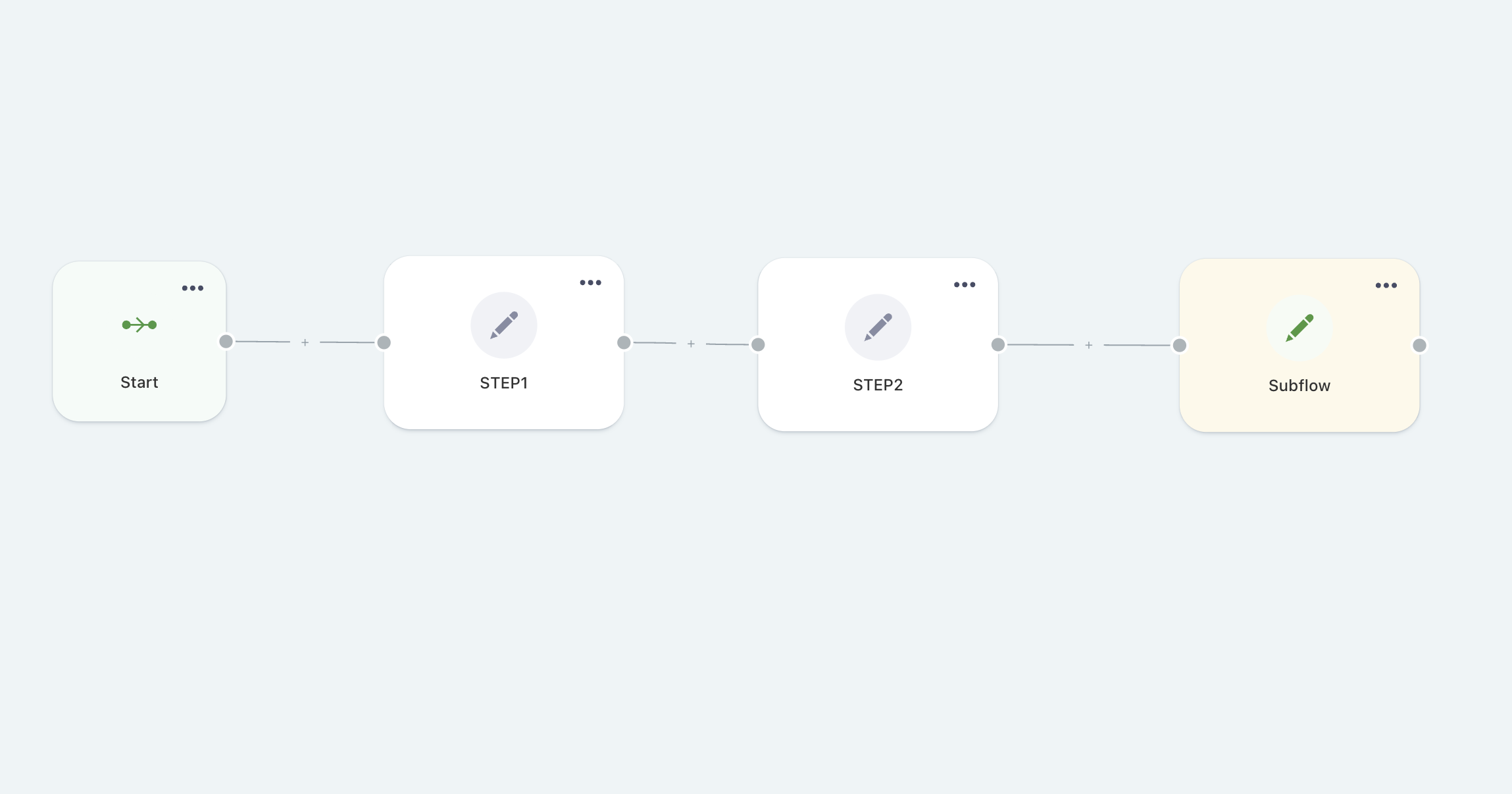
This is an example of a simple flow where after the second step we need to move to another flow, and we can easily do that thanks to the action node represented by the subflow component, properly configured.
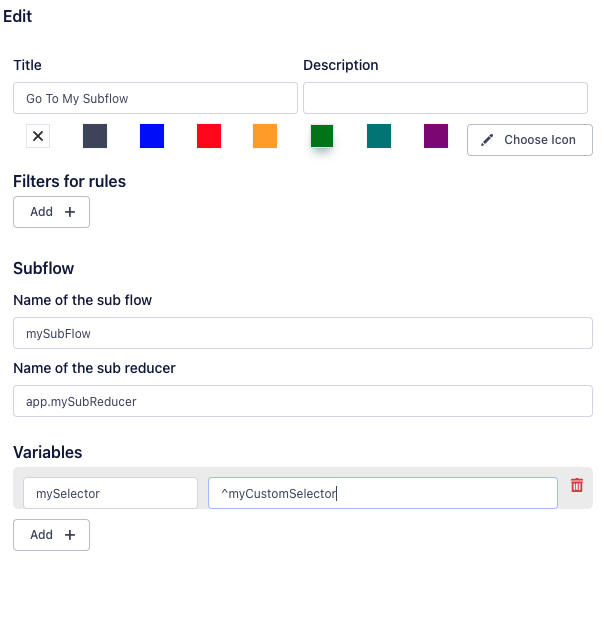
In the configuration window, you need to enter the name of the destination flow, the sub-reducer to use, and some selectors, if necessary. It's very important to make sure that the name of the destination subflow matches what is entered in the "name" field in the flow's JSON file.