List rendering
This example shows two ways you can render lists with Flower; the difference is how the item in the list is defined.
Item defined in code
The simplest way to render a list is to create a React component that iterates over the items and displays each of them using a component defined in code.
const ListItem = ({ title, body }) => (
  <div className="list-item">
    <h2 className="item-title">{title}</h2>
    <p className="item-body">{body}</p>
  </div>
)

const List = ({ value }) => (
  <div className="list-container">
    {value.map((item, index) => (
      <ListItem key={item.id} {...item} />
    ))}
  </div>
)
value is provided by Flower and it is the data retrieved from your Redux store at the key you specified in the List editing panel, via the id property.

{
  "type": "component",
  "name": "List",
  "title": "List",
  "editing": [
    {
      "type": "Input",
      "id": "id",
      "label": "ID"
    }
  ]
}
Item defined in Flower visual editor
A more advanced way to render lists is to define the item not in code, but in the visual editor and referencing it in the List editing panel.
Create an item template
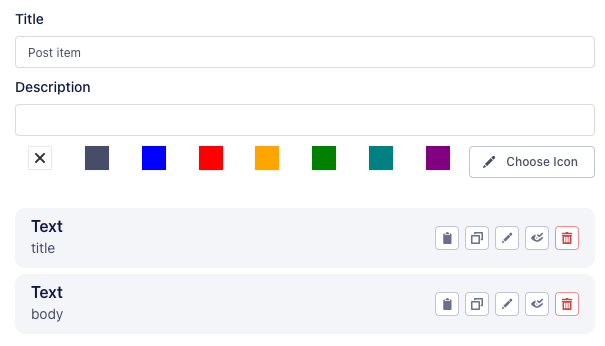
The first thing is to create a template for the item. Create a container (link to container docs) in your current flower, and add the elements you wish.
Following the example, you should add two Text elements for displaying the item title and body. When specifying the ID for these elements, they are relative to the item structure, that in our example is:
{
  "title": "Item title",
  "body": "Item body"
}
So title and body will suffice.
Add the template to the List
Now the List element needs to be configured to accept a container, which will be the item template just created.
{
  "type": "component",
  "name": "List",
  "title": "List",
  "editing": [
    {
      "type": "Input",
      "id": "id",
      "label": "ID"
    },
    {
      "type": "SelectContainer",
      "label": "Item container",
      "id": "item_container"
    }
  ]
}
And select the item container in the List editing panel.

Change the List component
The last node is to modify the List component to use the chosen container to render its items.
const List = ({ value, item_container_children, renderChildren, childId }) => (
  <div className="list-container">
    {value.map((item, index) => (
      <div  key={item.id} className="list-item">
        {renderChildren(item_container_children, `${childId}.${index}`)}
      </div>
    ))}
  </div>
)
item_container_children, renderChildren and childId are provided by Flower.
To properly work, renderChildren needs to know the full path to the item, that is built joining childId and the current index.